No withdrawal permission
The key can place and close orders. It cannot move money out of your Delta account.
Video guide3:2212 steps
To create a Delta Exchange API key, log in to Delta Exchange India, open AlgoHub › APIs and press Create API Key. Name it Algoclear, whitelist Algoclear's two server addresses, tick Read Data and Trading, then confirm with the email code and your 2FA code. Copy the API key and the secret (Delta shows the secret only once), then paste both into Algoclear under Settings › Exchange and press Save and verify.
Chapters
Step by step
On Algoclear · steps 1–5
Step 1
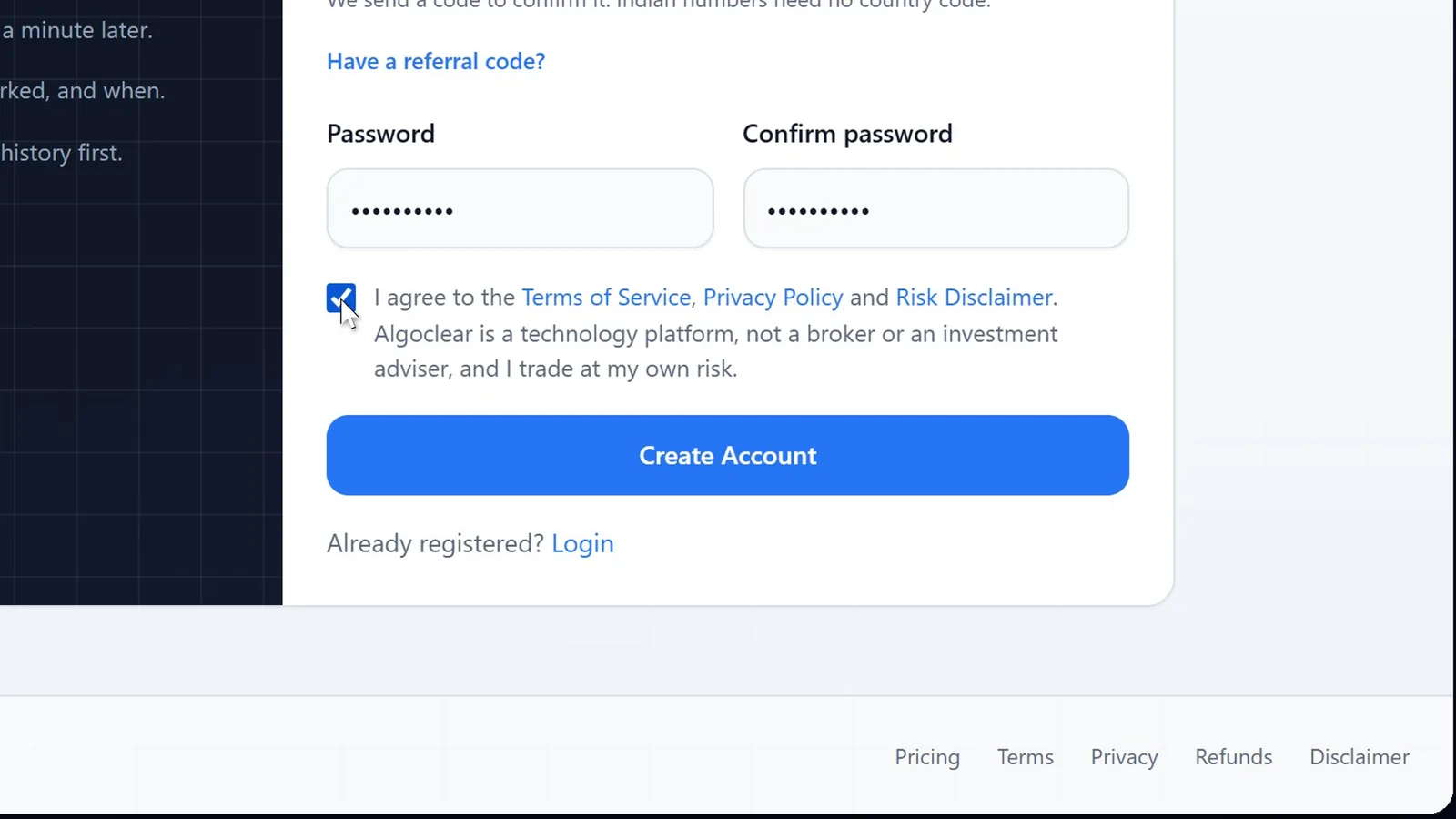
Open algoclear.in and press Get Started. Enter your name, email, WhatsApp number and a password, tick the terms and press Create Account. Indian numbers need no country code.
Step 2
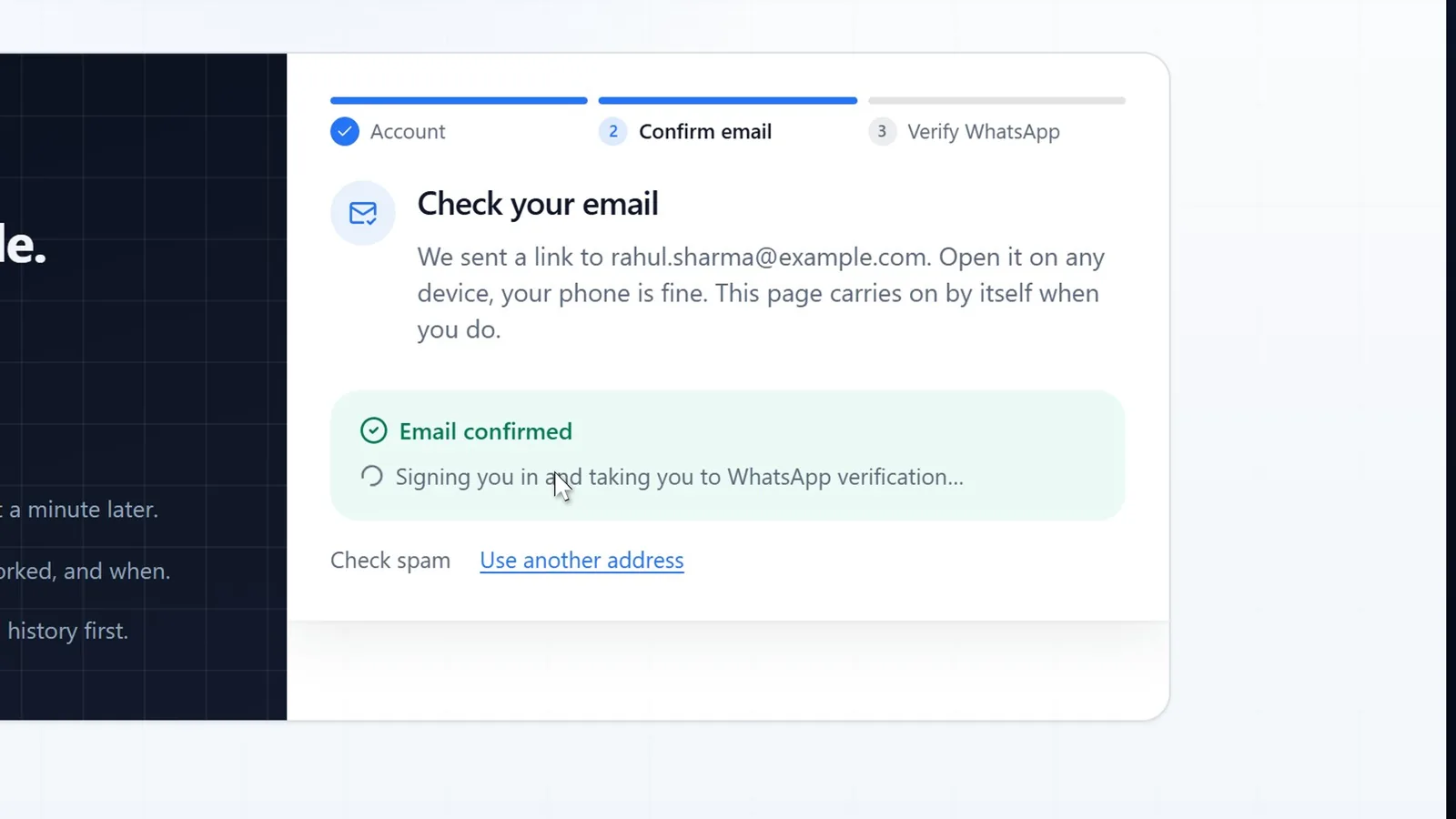
Algoclear emails you a link. Open it on any device, your phone is fine; the sign-up page notices and moves on by itself.
No email after a minute? Check spam, or press Resend the link.
Step 3
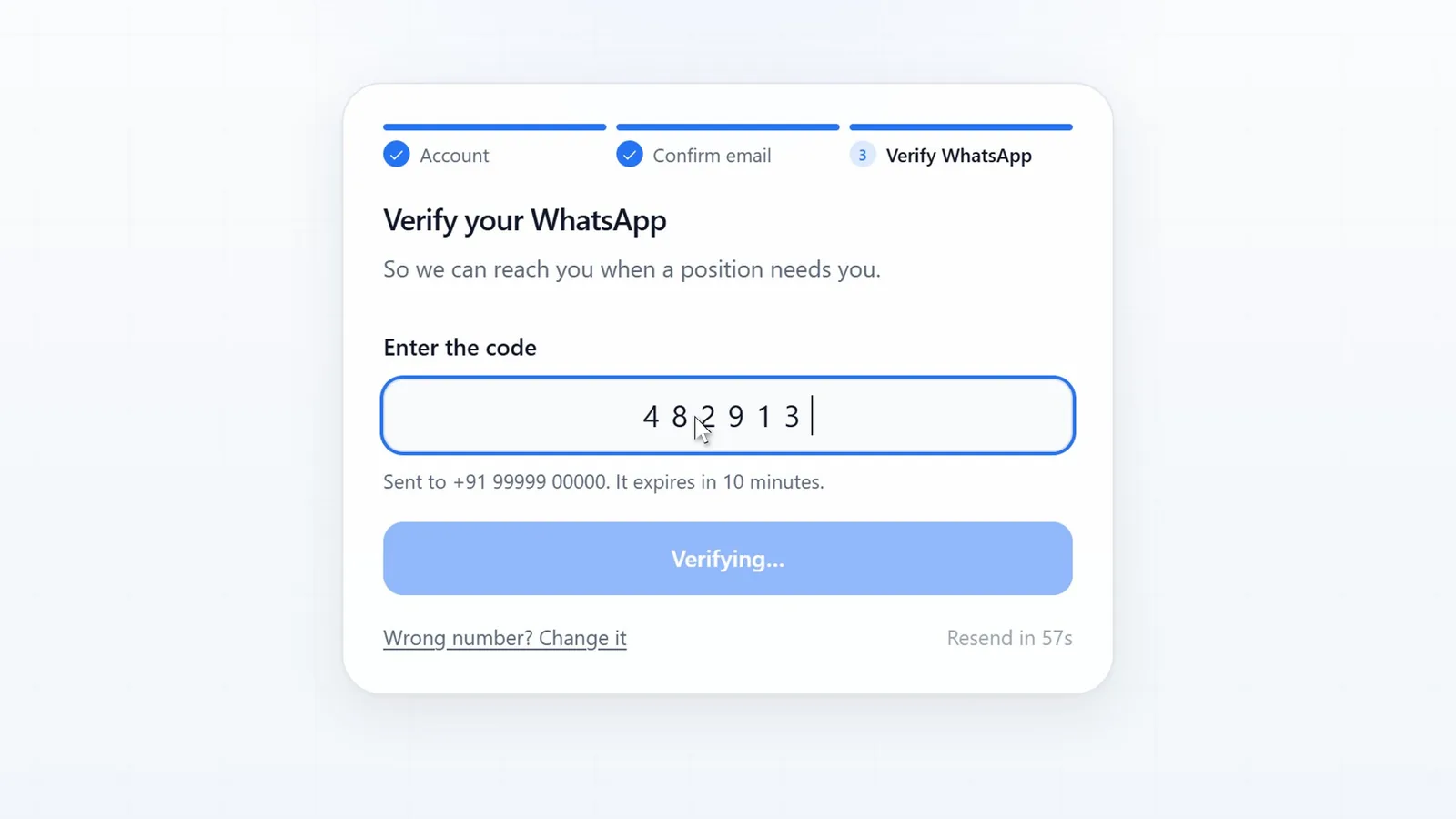
Your number is already filled in. Press Send me a code, then type the six-digit code WhatsApp delivers. It verifies on the last digit.
Step 4
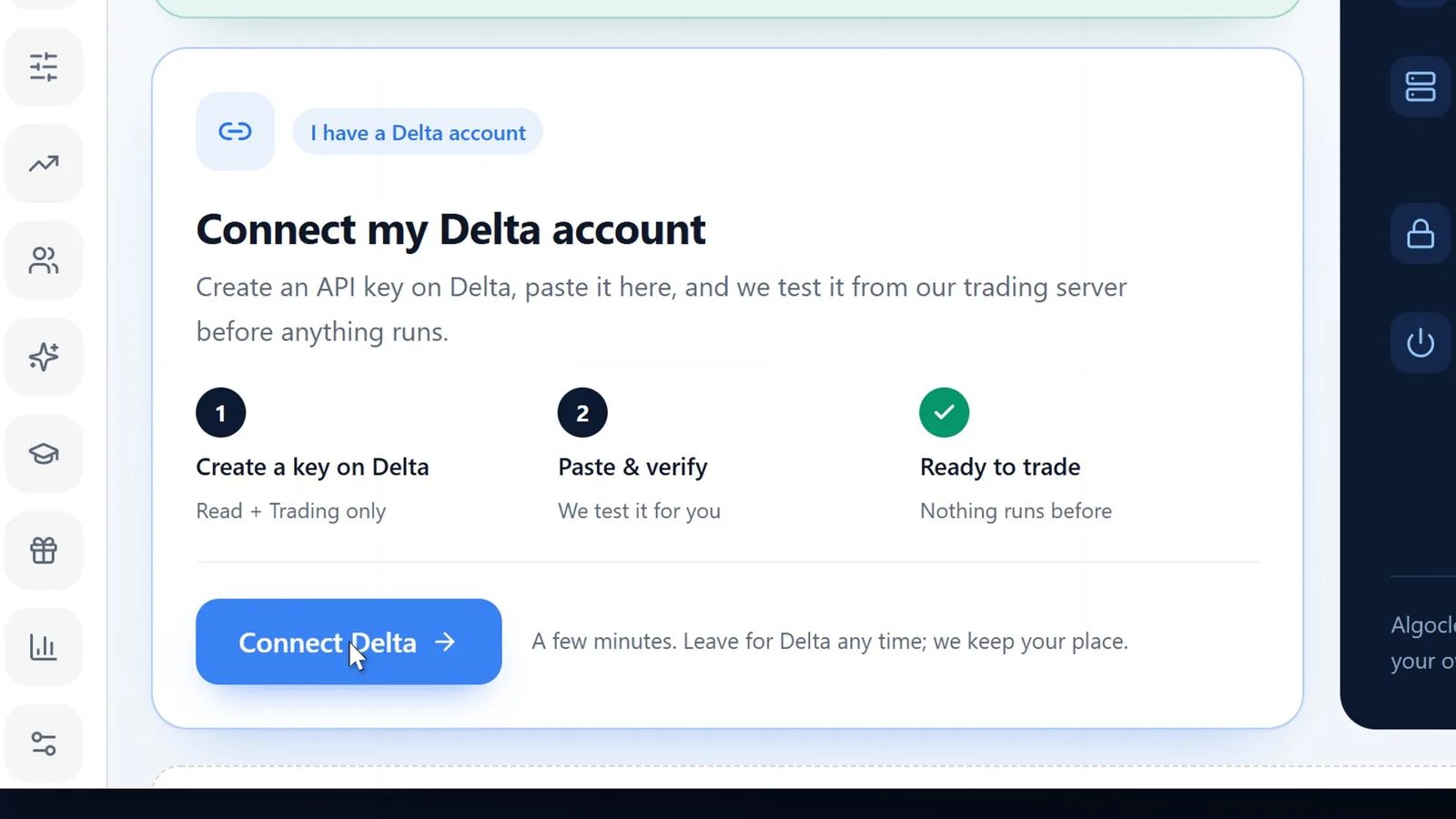
Your dashboard shows three of four setup steps done. Press Connect Delta. No Delta Exchange India account yet? Open one from the same screen, finish KYC and add funds, then come back here.
Step 5
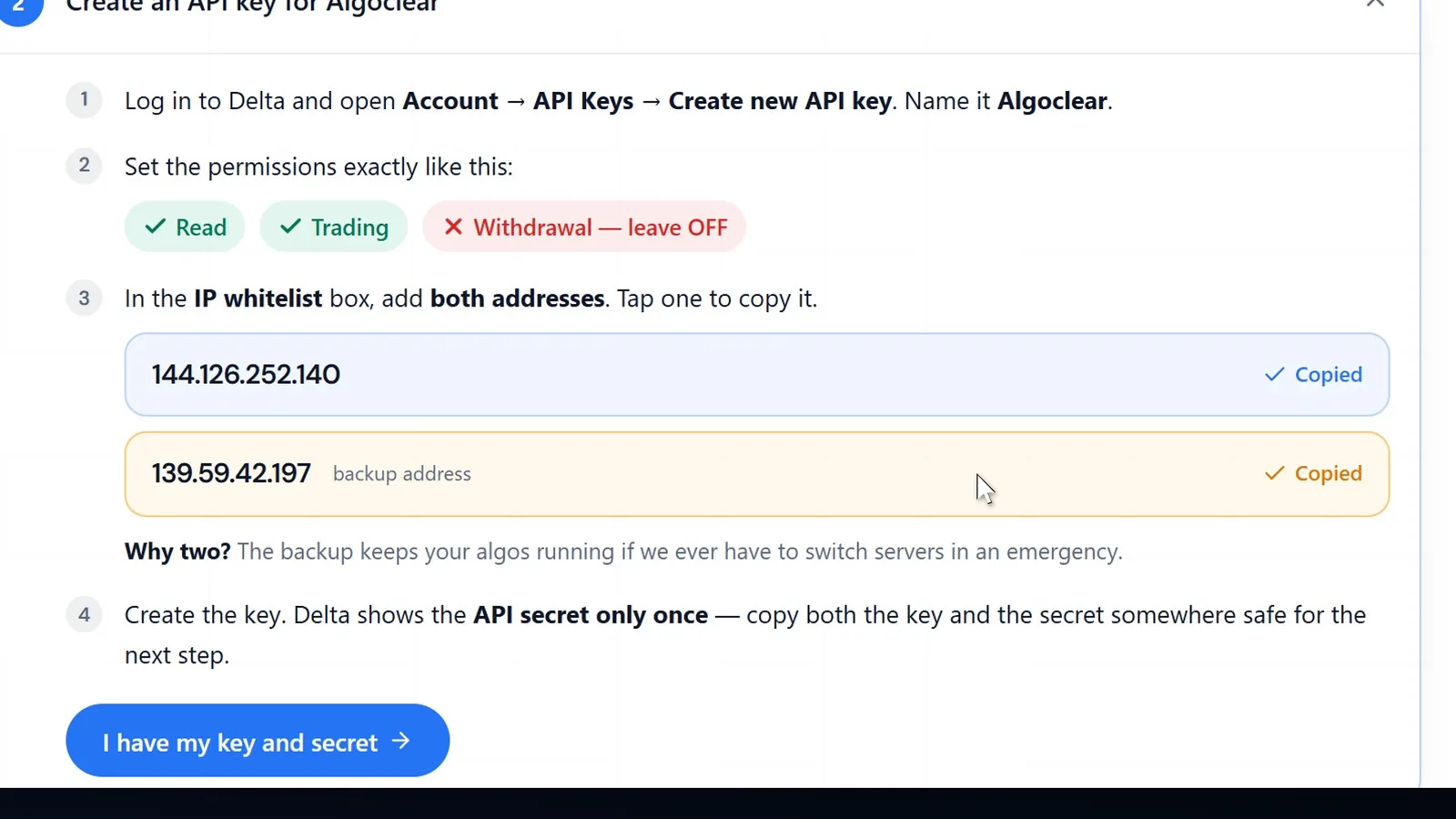
Settings › Exchange opens on Create an API key for Algoclear. It lists the permissions to give and two IP addresses, the main one and a backup. Tap each one to copy it.
Always copy the addresses from your own Settings page: Delta will only accept orders that come from them.
On Delta Exchange India · steps 6–11
Step 6
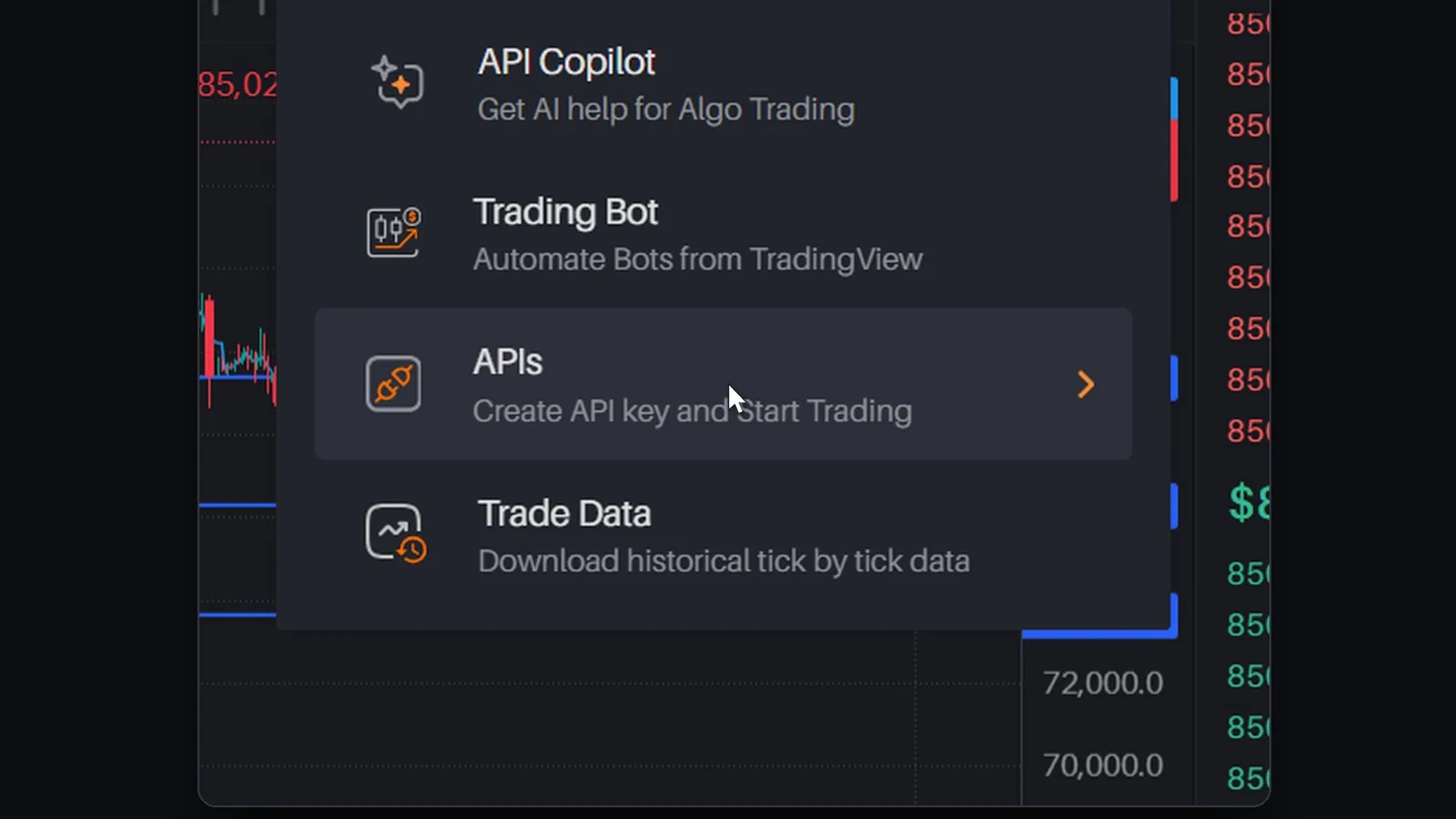
Log in to Delta Exchange India. In the top menu open AlgoHub › APIs, then press Create API Key.
Step 7
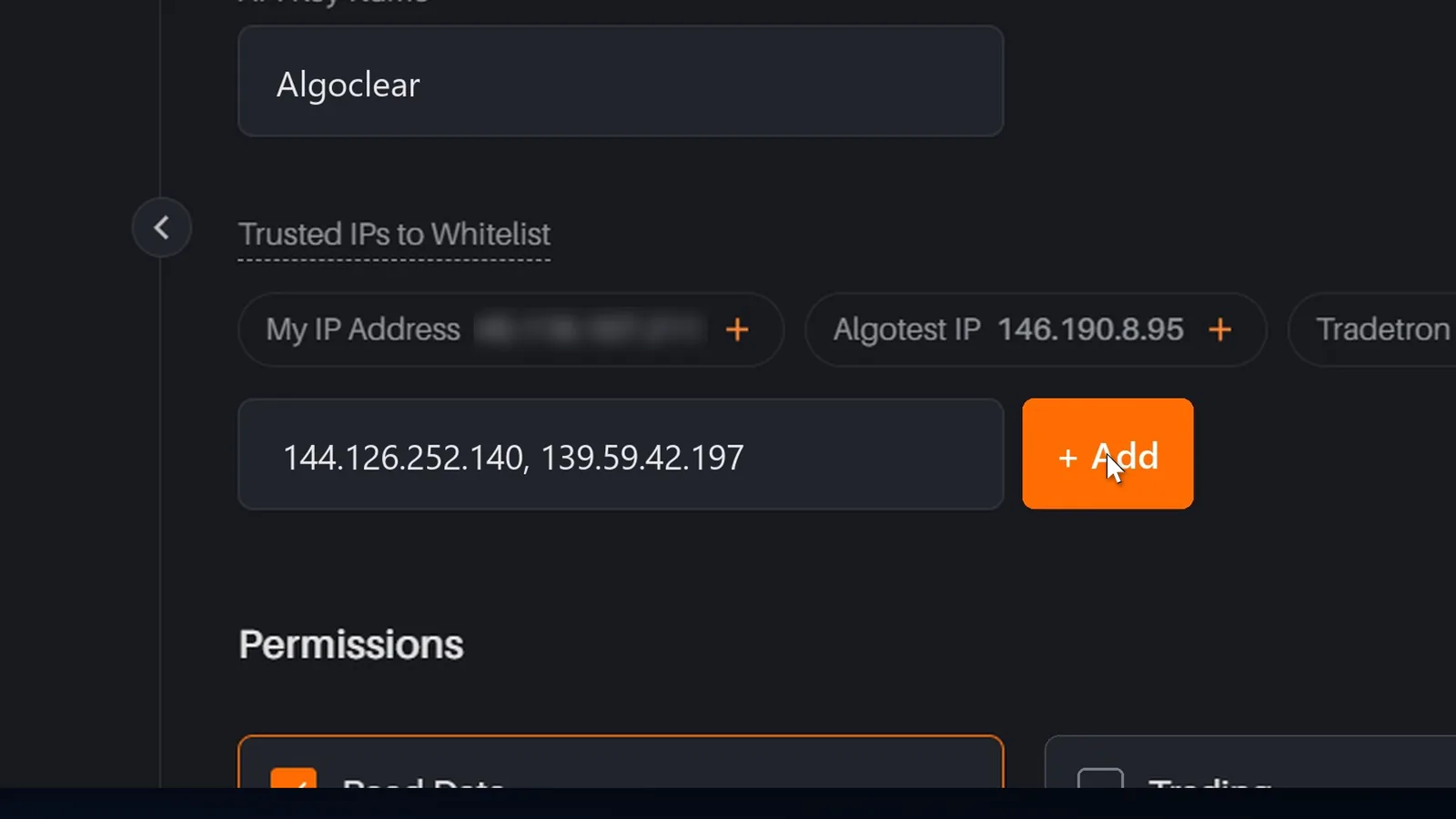
Type Algoclear as the API Key Name. In Trusted IPs to Whitelist, paste both addresses separated by a comma and press Add.
Leave the ready-made IP buttons (My IP Address, Algotest, Tradetron) alone. Only Algoclear's two addresses belong on this key.
Step 8
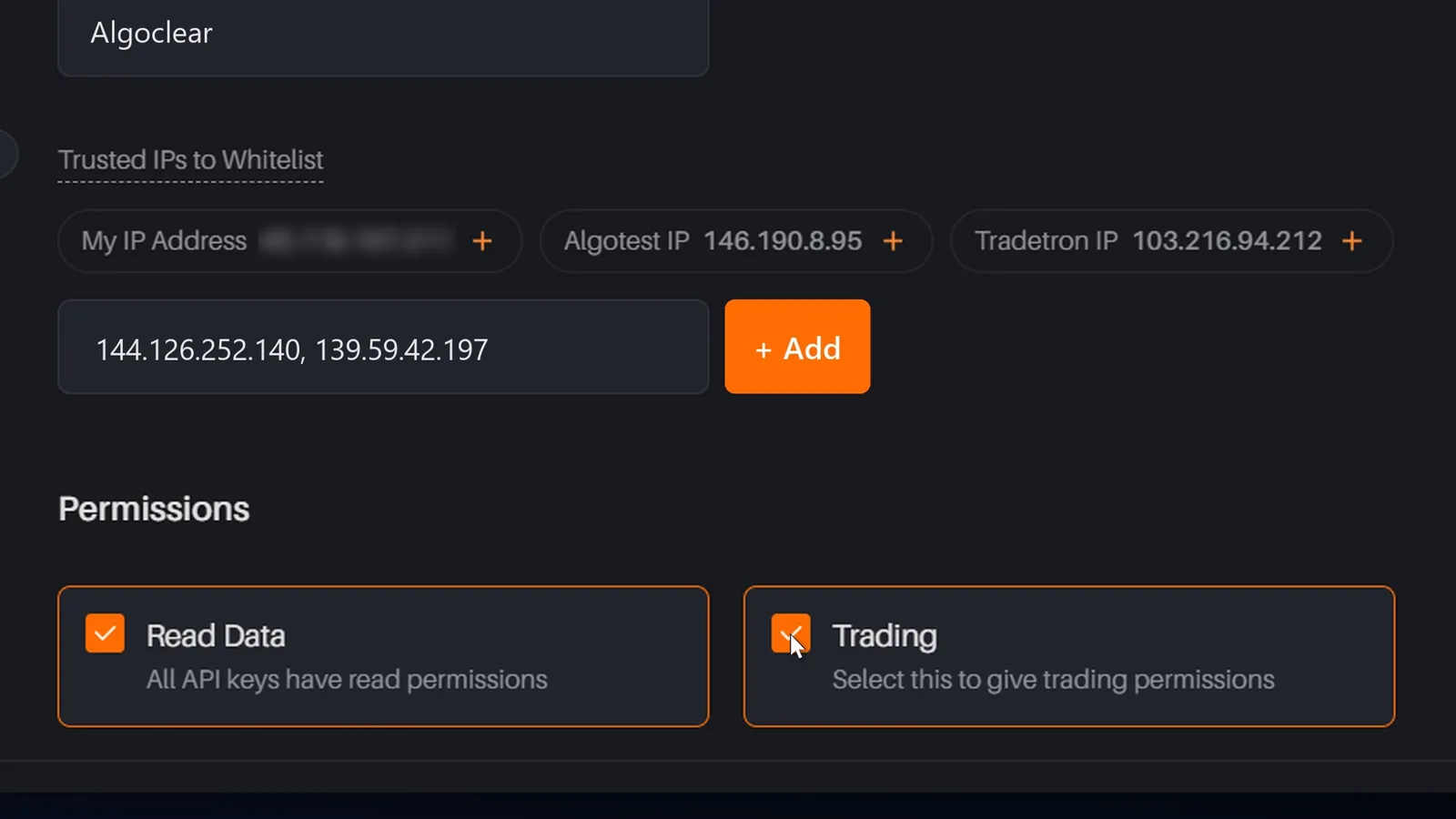
Read Data is on for every key. Tick Trading as well. Algoclear never needs withdrawal rights: the key can place and close orders, and cannot move money out.
Step 9
Press Create API key. Delta opens Security Verification: enter the six-digit code it emails you.
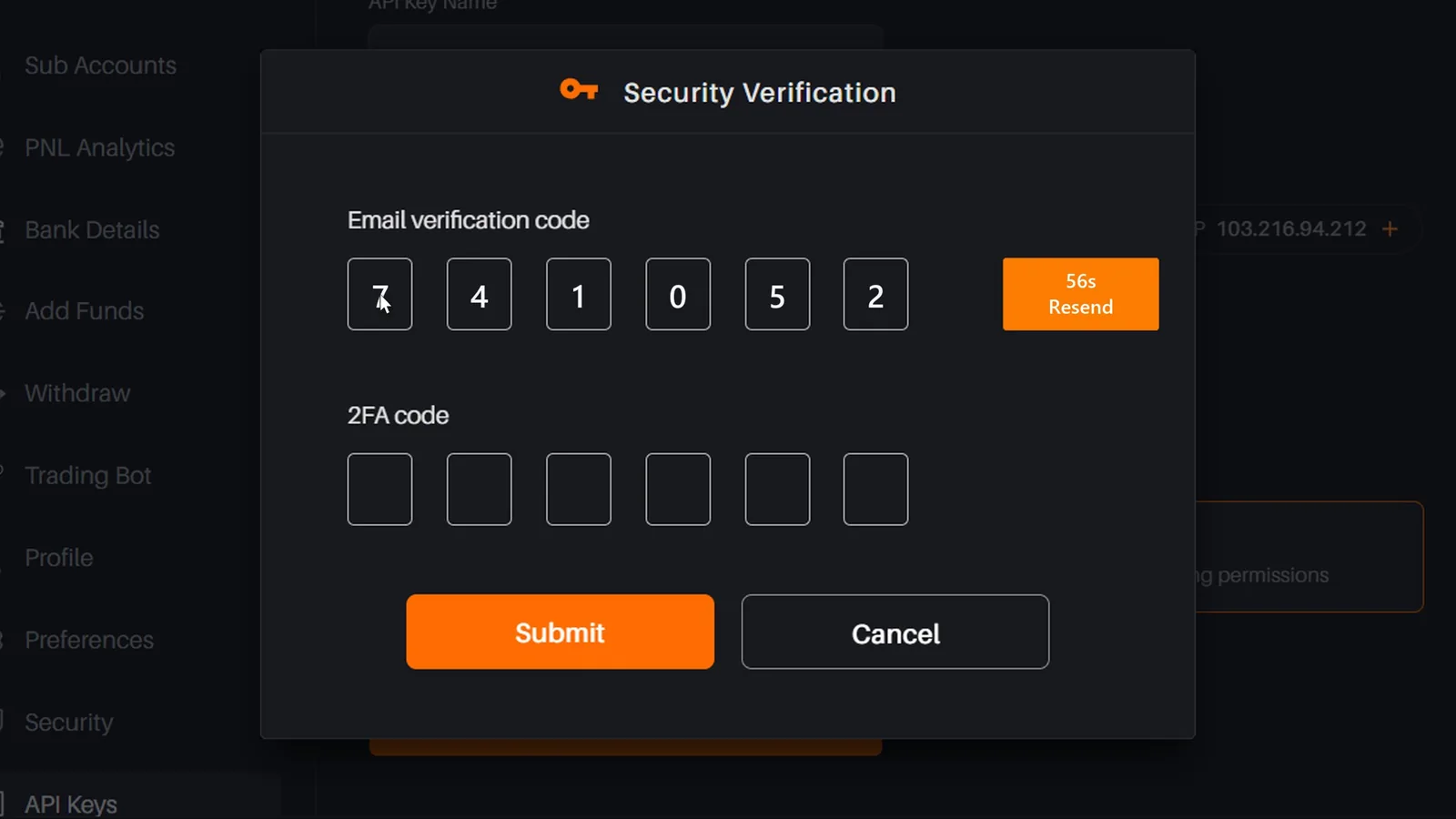
Step 10
The same window asks for a 2FA code. If 2FA is not on yet: install LastPass Authenticator from the Play Store (the App Store on iPhone), open Security on Delta, turn on 2FA, scan the QR code with the app and confirm with the six-digit code it shows. Only needed once.
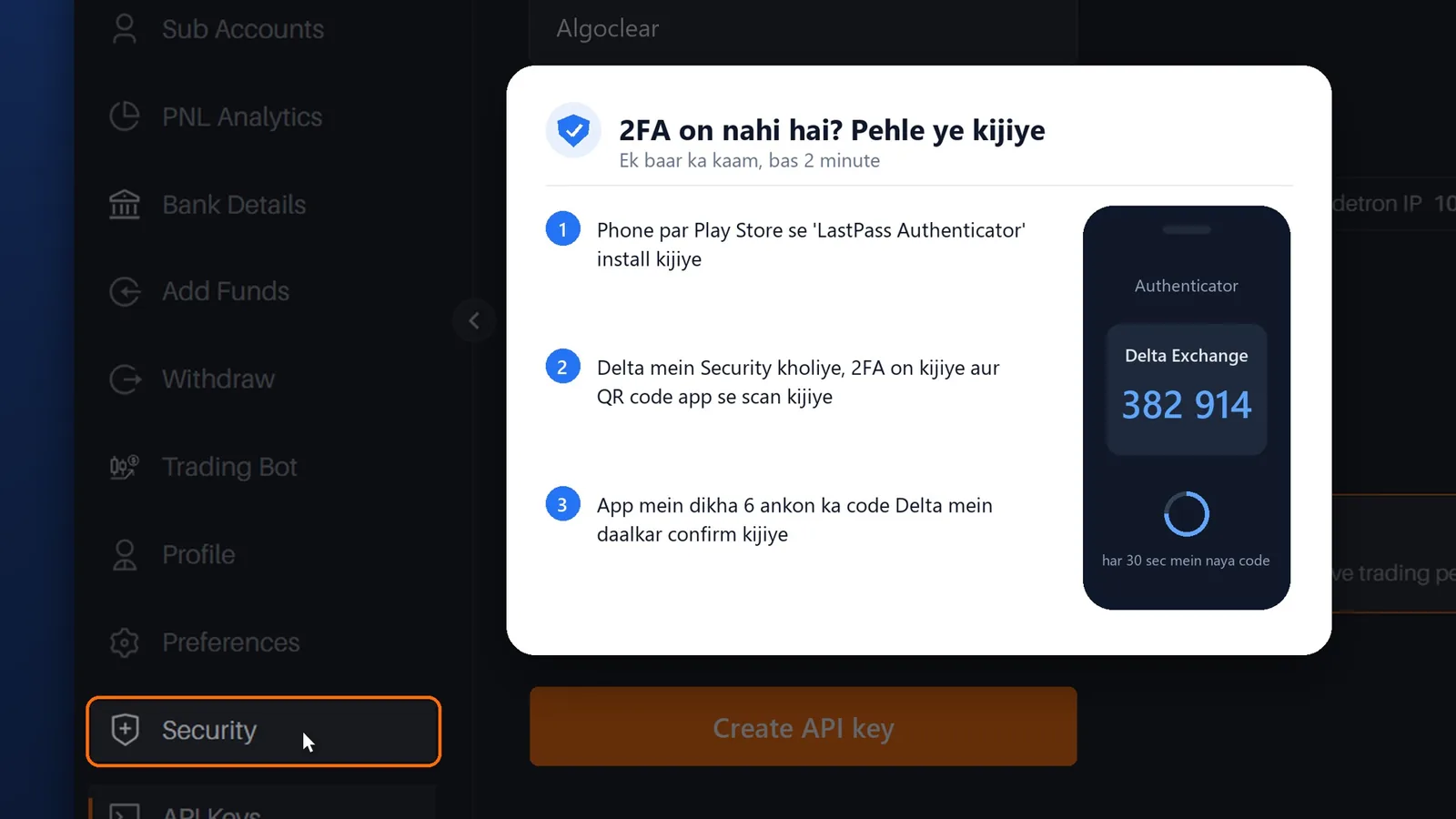
Step 11
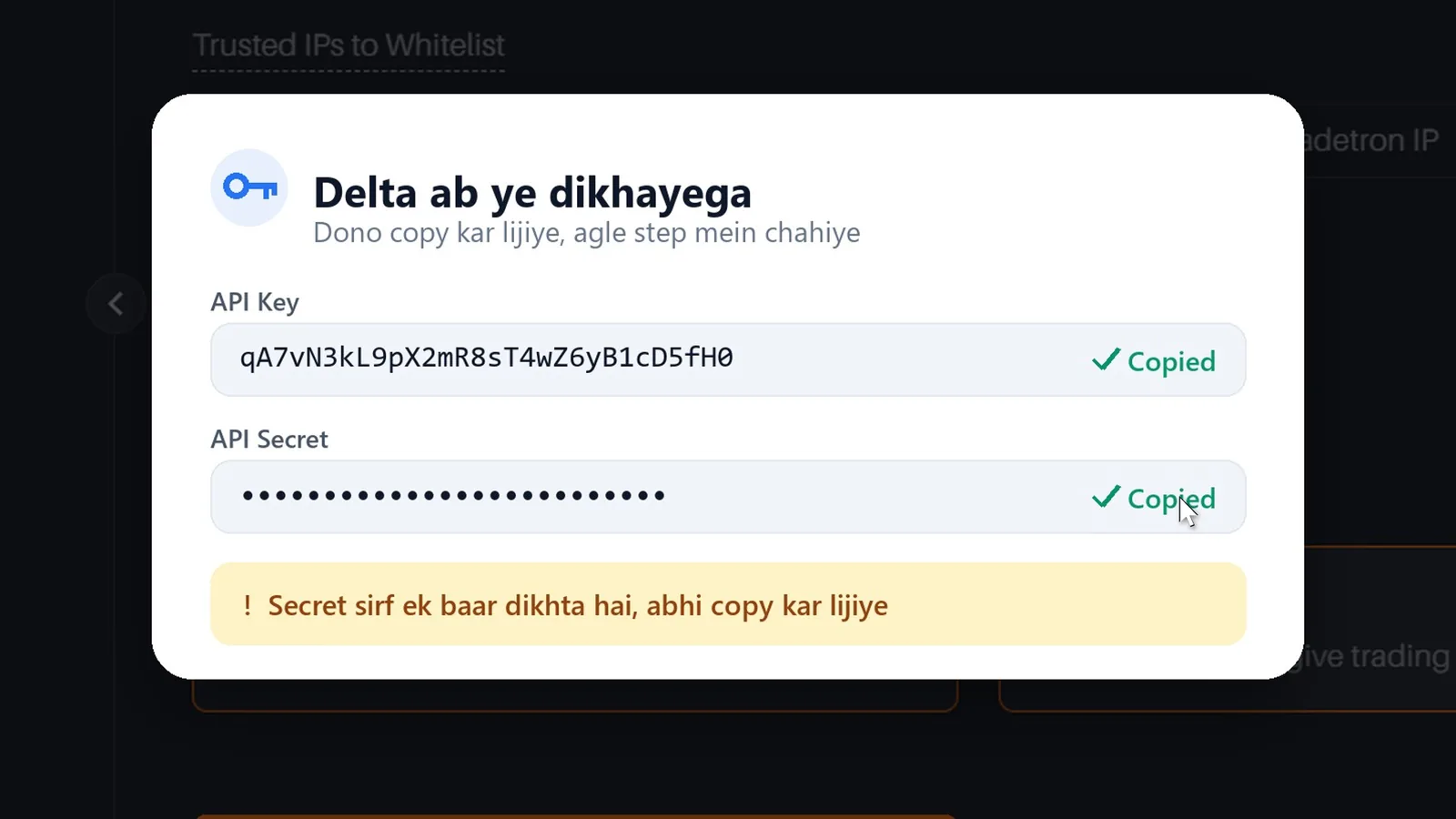
Type the current code from LastPass Authenticator and press Submit. Delta shows your API Key and API Secret: copy both now.
Delta shows the secret only once. If you lose it, delete that key on Delta and create a new one.
Back on Algoclear · steps 12
Step 12
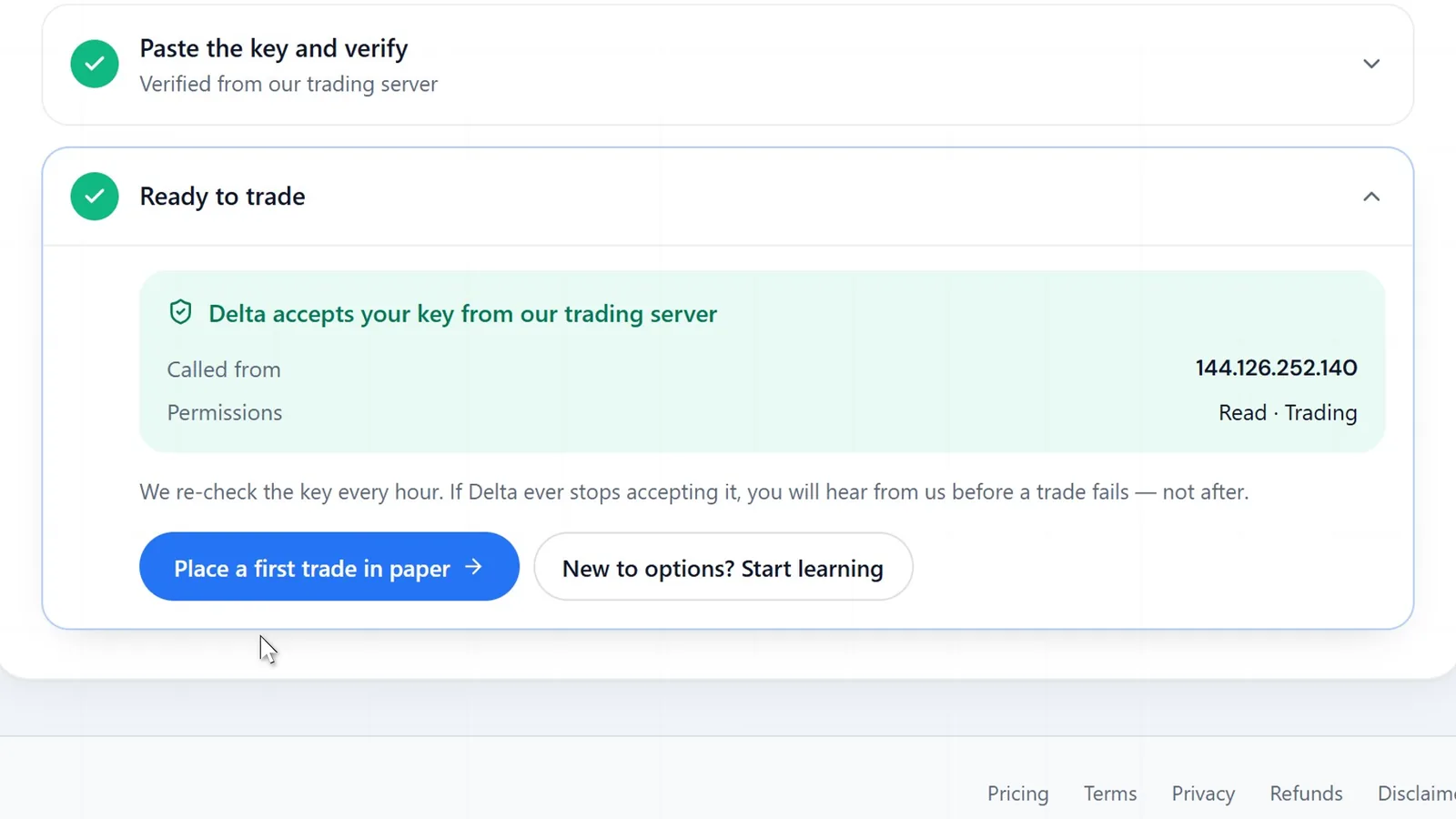
Back in Settings › Exchange, press I have my key and secret, paste the key and the secret, and press Save and verify. Algoclear makes a real call to Delta from its trading server; when it reads Delta accepts your key from our trading server, you are ready to trade.
Safety
Algoclear is not a broker and never holds your money. It trades in your own Delta account through a key you create and can delete.
The key can place and close orders. It cannot move money out of your Delta account.
Delta accepts the key only from the two addresses you whitelist: Algoclear's trading server and its backup.
The secret is encrypted before it is stored and used only from the trading server.
Delete the key on Delta and Algoclear can no longer place orders. Your money stays in your Delta account throughout.
If it does not connect
If Delta refuses the key, Save and verify shows one of these messages. Each has one fix.
Questions
Log in, open AlgoHub › APIs and press Create API Key. Name it, add the IP addresses to whitelist, tick Read Data and Trading, press Create API key and confirm with your email code and your 2FA code. Delta then shows the API key and the secret.
Read Data, which every key has, and Trading. That lets Algoclear place and close your orders. Withdrawal is never needed: the key cannot move money out of your Delta account.
Delta only accepts orders from addresses on the key's whitelist. The first address is Algoclear's trading server; the second is a backup that keeps your strategies running if the server ever has to be switched in an emergency. Add both.
From an authenticator app on your phone. Install LastPass Authenticator, turn on 2FA under Security on Delta Exchange India, scan the QR code with the app, and use the six-digit code it shows. It changes every 30 seconds.
Delta shows the secret only once, when the key is created. Delete that key on Delta, create a new one with the same settings, and paste the new key and secret into Algoclear.
The key has no withdrawal permission and only works from Algoclear's whitelisted server. The secret is encrypted the moment you save it, your money stays in your own Delta account, and deleting the key on Delta stops Algoclear from placing orders.
About five minutes once your Delta account is open and KYC is done. Turning on 2FA for the first time adds a minute or two.
Yes. Delete the key on Delta and Algoclear can no longer place orders, or use Replace key under Settings › Exchange to swap in a new one. Algoclear also re-checks the key every hour.
Create your free account and follow the steps above. Once Delta accepts the key, build your first strategy with the option strategy builder, or read how Delta Exchange algo trading works on Algoclear.
Trading crypto derivatives carries risk and you can lose more than you put in. Read the full disclaimer.